

Free to play · Available now
Alpaca Dash
Small hooves. Big night energy.
Pick your favourite alpaca, cheer on a gloriously daft race and let the big screen bring the whole room to the finish.

The whole night. All together.
Professional, licensed karaoke tracks powered by Sunfly. Automated hosting. Guests choosing songs from their phones. Everything working together, without needing to book a presenter.
Your own PA. Your own microphones.Our software brings the karaoke night. See the setupInteractive browser demo · No download or account needed

Windows PC or Mac · Songs included with every subscription
Windows 1.3.4: eight-hour passes · Mac 1.3.8: playback and recovery improvements


 Licensed karaoke catalogueAutomated voice hostingPhone song requestsYour team in control
Future Karaoke Hub · Free download
Meet the Hub. Your home for Future Karaoke and three free games that get the whole room involved.
Race alpacas. Rally your quiz team. Settle it on the football pitch. You run the game on your computer; guests join in from their phones.
Windows 10/11 (64-bit) · Apple Silicon Mac (M1 or later)
Explore the three free games
Open the Hub, choose your game and install it to get started. The games are free to play; karaoke requires its own trial, pass or subscription.
Small hooves. Big night energy.
Pick your favourite alpaca, cheer on a gloriously daft race and let the big screen bring the whole room to the finish.
Press play. Get the room thinking.
Load a quiz pack and let teams answer from their phones. Questions, reveals and scores bring a proper quiz night to your main screen.

Tiny players. Big match energy.
Get your teams together for a miniature football showdown. Players take their turns from their phones while the room follows the action.
Try your chosen setup before your first venue night. Quiz Player hosts imported quiz packs for free; creating or editing packs in Quiz Hub requires a Future Karaoke licence.
Your sound. Your setup.
Already have a sound system? Put it to work.
Future Karaoke runs on your Windows PC or Mac. You provide your own PA / sound system and microphones. We bring the licensed Sunfly songs, automated hosting and phone requests.
Use suitable equipment you already own, or arrange it separately. PA, microphones, mixer and lyrics screen are not included in the subscription.
Check your venue’s setupNo sound equipment yet? Explore our starter sound kit for around £250 →
Plus your TV or projector for the lyrics, connected to your laptop.
Open the doors. Bring the noise.
You bring the venue, microphones and sound system. Future Karaoke brings the songs and the flow of a hosted show—ready for weekly karaoke nights. Explore karaoke software for UK pubs and bars.
Every subscription is powered by a fully licensed Sunfly karaoke catalogue. Give your guests a songbook to explore, without sourcing a separate library.
Singer introductions, next-up calls, background music and venue announcements keep the evening moving. Run a complete night without booking a human karaoke presenter.
Guests scan the QR code, browse the songbook and request from their phones. The queue stays organised, while your team can step in whenever they need to.
Interactive browser demo · No download or account needed
From your table to the spotlight
Scan the QR code and open the songbook on your phone. Discover a favourite, find a new singalong and request your turn on stage.
Swipe to explore the guest screens →
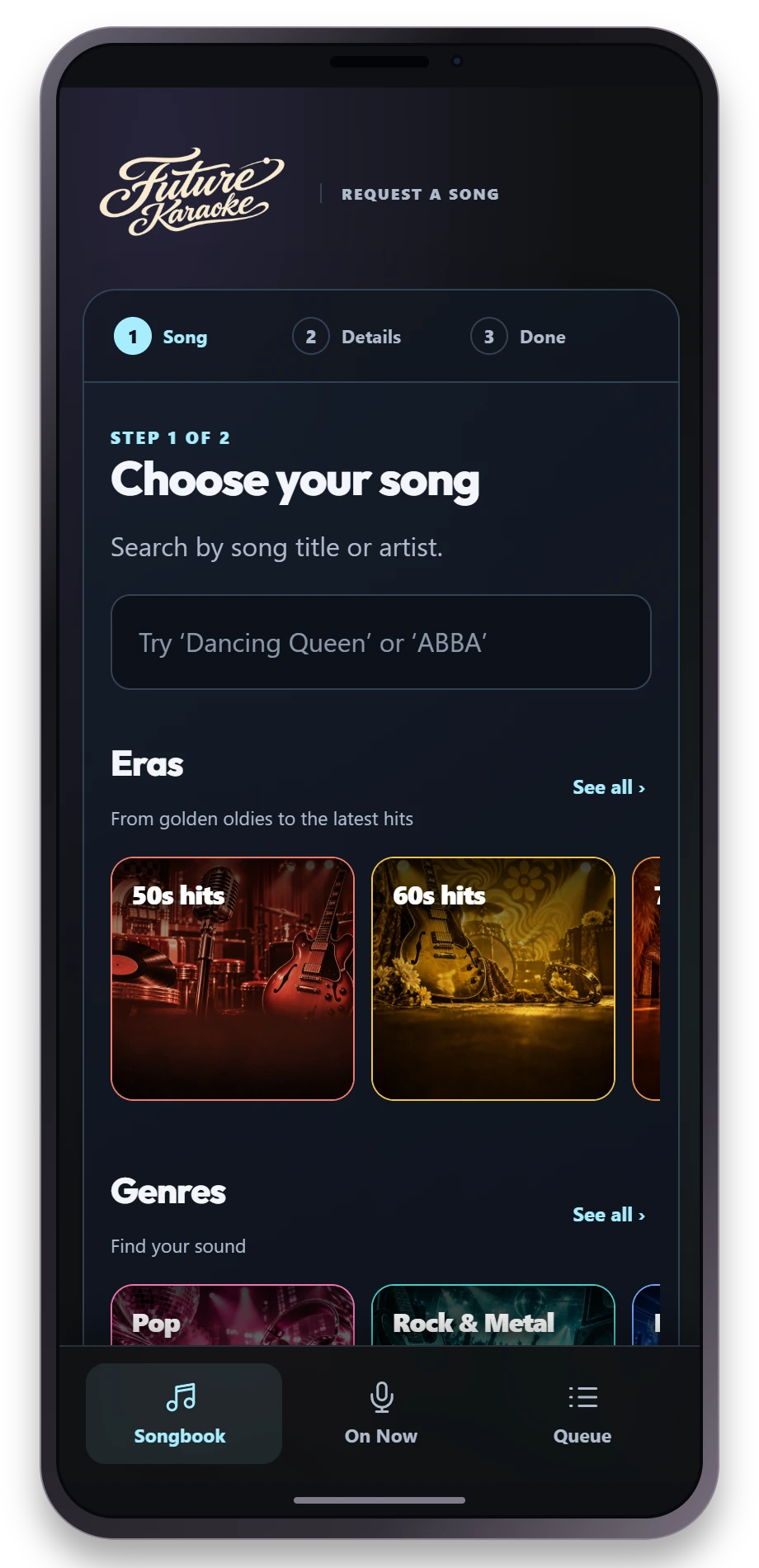
Search by song or artist, or explore illustrated shelves of eras, genres and collections.
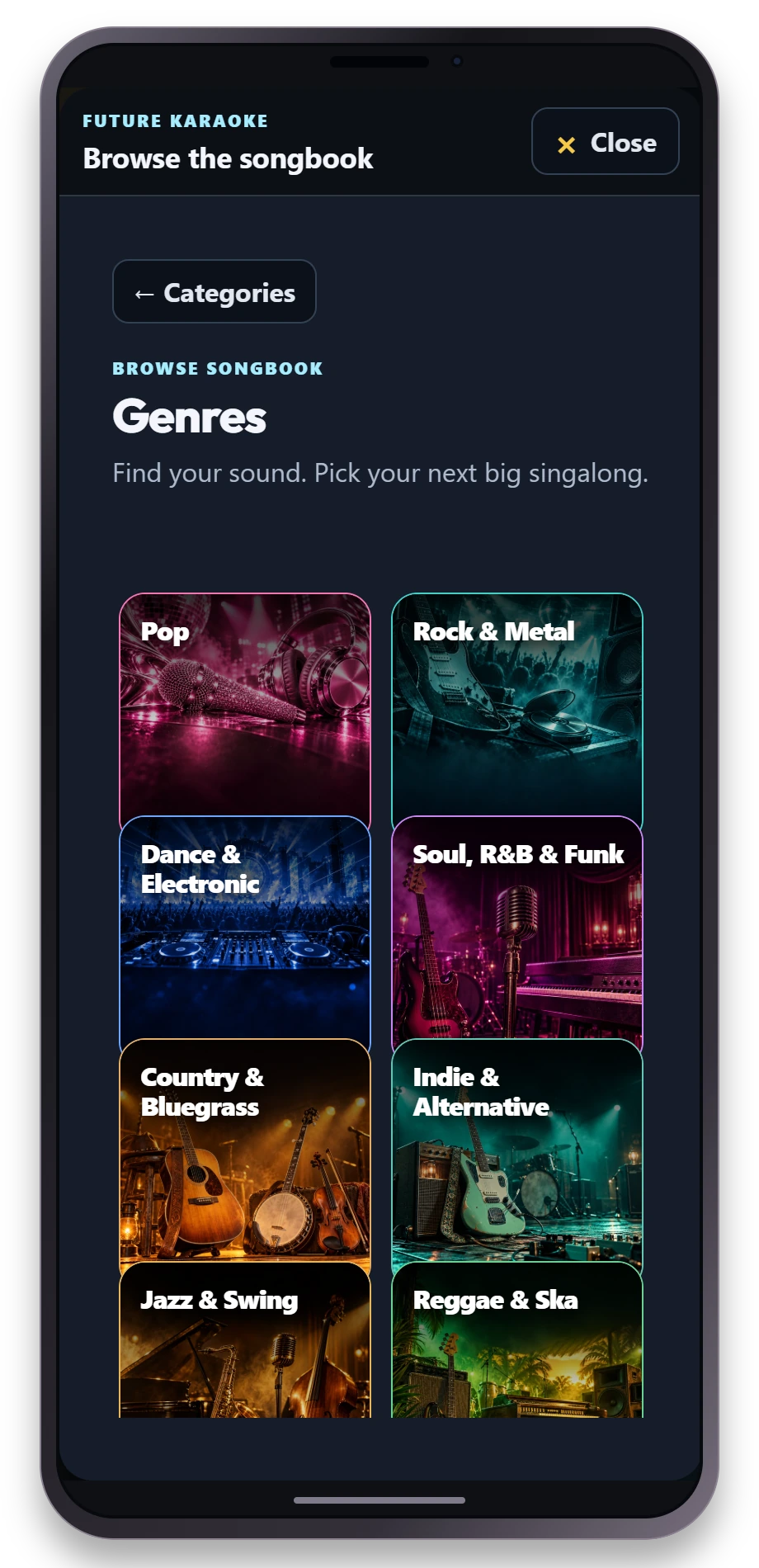
Pop, rock, soul or something unexpected. Browse by genre and find your next big singalong.
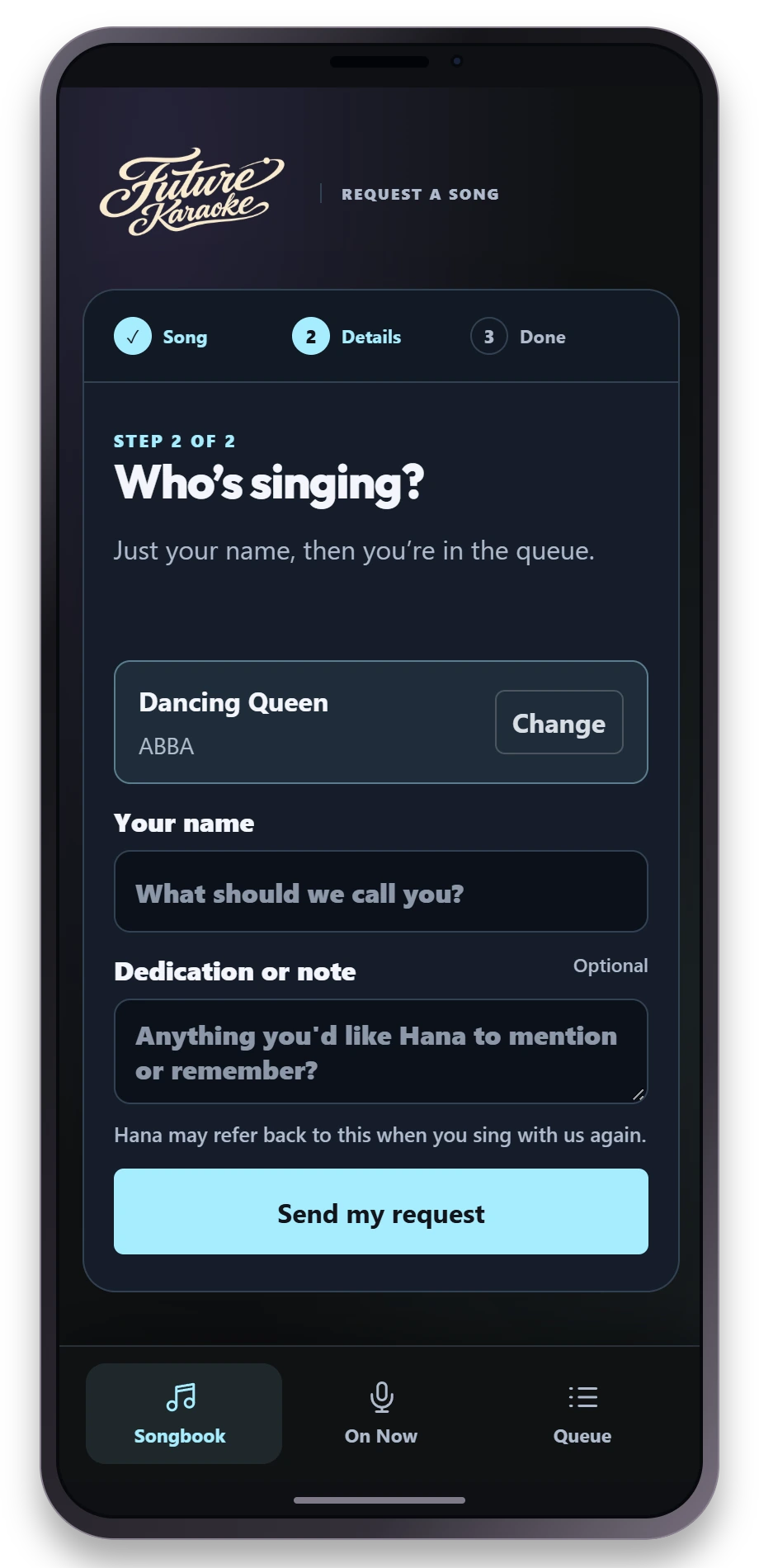
Choose a song, add your name and an optional dedication, then send your request.
Actual Future Karaoke guest screens. Tap a phone for a closer look.
Your stage. Your atmosphere.
Start with the laptop you have. Classic Stage brings the lyrics, colourful backgrounds and show atmosphere to your audience screen.
 CLASSIC STAGE
Included · Everyday Windows PCs & Macs
Our lightweight HTML stage puts lyrics, singer call-ups and show visuals on your venue screen. Song playback, automated voice hosting, phone requests and staff controls stay at the heart of the night.
It’s the practical choice for a simple Windows laptop or an older Intel Mac, including a 2015 MacBook Air running a supported macOS version.
Check laptop compatibility and venue setupYOUR SHOWBuilt in · Make it yours
Choose a built-in look or add your own photos, video and slideshow backgrounds. Singer call-ups, lyrics and show visuals keep the room involved from the first introduction to the last chorus.
Get Future KaraokeClassic Stage is labelled HTML Stage in the app. Current Mac download: macOS 12 or later. Try your exact laptop and display setup before your first venue night.
Built around your room
Run Future Karaoke and choose Classic Stage for a lightweight setup.
You supply the sound equipment. Route laptop audio and your microphones through your mixer or PA, and connect a screen for lyrics.
Connect your subscription services. Put guest phones and the optional tablet on a reachable network.
Every subscription. Powered by Sunfly.
Make it a regular reason to visit. Professional karaoke tracks, automated hosting and practical show control in one venue subscription.
Early Adopter Venue Plan
£79/ month
Introductory offer
Bring your own PA and microphones. This is a software subscription; sound equipment and a lyrics screen are supplied by your venue. See the setup.
Designed for weekly karaoke nights. Voice use depends on your introductions and announcements; all nights share the monthly allowance, measured in characters.
See pricing and cost per karaoke night.
Get your venue startedSee the show in your browser first.
For an occasional karaoke night
Try a night without starting a subscription. Keep the unused time for another session on the same computer.
Eight-hour pass · Windows & Mac 1.3.4 or later
£35 / pass
Includes licensed Sunfly karaoke, automated hosting, Classic Stage, phone requests, 110,000 AI voice characters and 50,000 AI text tokens per pass. These allowances are shared across your sessions and do not reset each month.
Time counts while Future Karaoke is open, including when minimised. Choose Quit to save unused time; closing a window can leave the app running. The pass is for one computer and requires internet access.
Requires version 1.3.4 build 13402 or later. The Windows direct installer is compatible. Choose the eight-hour pass on Welcome or in Settings → Licence. The app shows the current price from Polar. Complete the secure checkout and the pass activates on that computer.
Get the compatible appFor the people running the room
Practical ideas for filling a quiet night and getting your first karaoke event off to a confident start.
Bring people in
A practical guide to promoting a regular pub night on a small budget, welcoming new faces and giving customers a reason to return.
Read the guide →Run a great night
Plan, promote and run your first Future Karaoke night, from checking the sound and guest requests to welcoming singers and inviting everyone back.
Read the guide →Before the first chorus
Yes. You supply your own PA / sound system and microphones. Connect the laptop audio and your microphones to a suitable mixer or PA with microphone inputs, and connect a TV or projector to your laptop for the lyrics. Future Karaoke provides the software, licensed Sunfly songs and automated hosting. PA, microphones, mixer and screen are not included in the subscription.
Yes. Every subscription includes professional, licensed karaoke tracks powered by Sunfly. Your catalogue, song requests and automated hosting work together, so you can run complete karaoke nights without building a separate karaoke library.
No. Future Karaoke introduces singers and manages the flow of the show. Your team stays in control, with access to the queue, playback and announcements whenever needed.
No. Classic Stage is the lightweight HTML stage for compatible everyday Windows PCs and Macs, including older Intel Macs. It keeps song playback, automated voice hosting, phone requests and show controls together.
Classic Stage is the route for older Intel Macs, including the 2015 MacBook Air on a supported macOS version. The current Mac download requires macOS 12 or later. Try Future Karaoke on your exact laptop and screen setup before your first night.
Your Windows PC or Mac runs Future Karaoke. The iPad opens the Big Red Button page in its browser on the same local network. Pair it using the code from the Host, then a singer can start their prepared song when they are ready. Android tablets and phones can use the page too.
A compatible Windows PC or Mac, a screen for the lyrics, microphones and a suitable sound system, plus an internet connection for the subscription services. An iPad or other tablet is optional. Check laptop compatibility and venue setup.
Make it your night
Tell us about your laptop, screens and sound setup. We’ll help you set up your stage and get your first Future Karaoke night ready.
Their song is in there somewhere.
Interactive browser demo · No download or account needed